
If you want to create a Smartpoint Quick Command then;
- Click on TOOLS in the Smartpoint toolbar
- Select QuickCommands then Configuration…

- Select ADD (blue button)
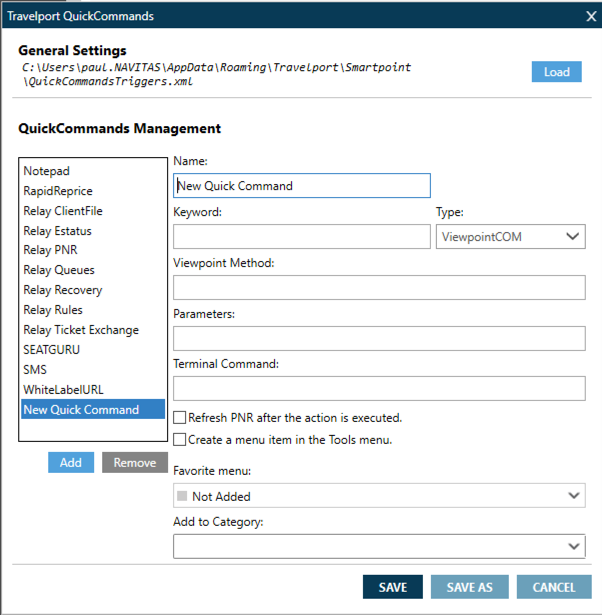
- Complete the screen as follows (instructions for ClickOnce users only**):
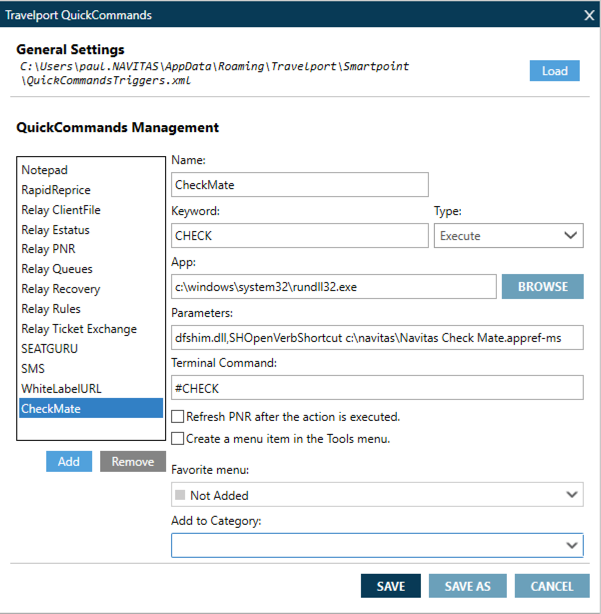
**If you work in a Citrix / Terminal Services environment then the parameters should be entered as follows;
App: c:\navitas\NavitasCheckMate\CheckMateUploader.exe
Parameters: (not required)
Comments
0 comments
Article is closed for comments.